Exhibit API · v1
Answers from any PDF, each with the page it came from
Send a document and your questions. In seconds every answer comes back, with a link to the strip of the page it was read from.
Quickstart
Three steps, from no key to an answer you can check.
- 1
Make an API key
Sign in at /account, then open Developers, then Keys. A key needs an account; the account is free, with no card.
- 2
Ask the sample a question
The sample is a research paper. One request: the PDF, and the questions as a JSON array.
curl -sO https://askexhibit.com/sample.pdf curl https://askexhibit.com/v1/extract \ -H "Authorization: Bearer $EXHIBIT_API_KEY" \ -F pdf=@sample.pdf \ -F 'questions=["How many days did training the big model take?"]' - 3
Check where it was read
Most code needs three fields:
found,answerandevidence_url. Open the URL: it is the sentence where it is printed. It needs no key, and lasts as long as its run is kept.{ "run": "5f0c9e…", "answers": [ { "question": "How many days did training the big model take?", "found": true, "answer": "3.5 days", "page": 6, "evidence": "The big models were trained for 300,000 steps (3.5 days).", "evidence_url": "https://askexhibit.com/v1/runs/5f0c9e…/fields/0.jpg" } ] }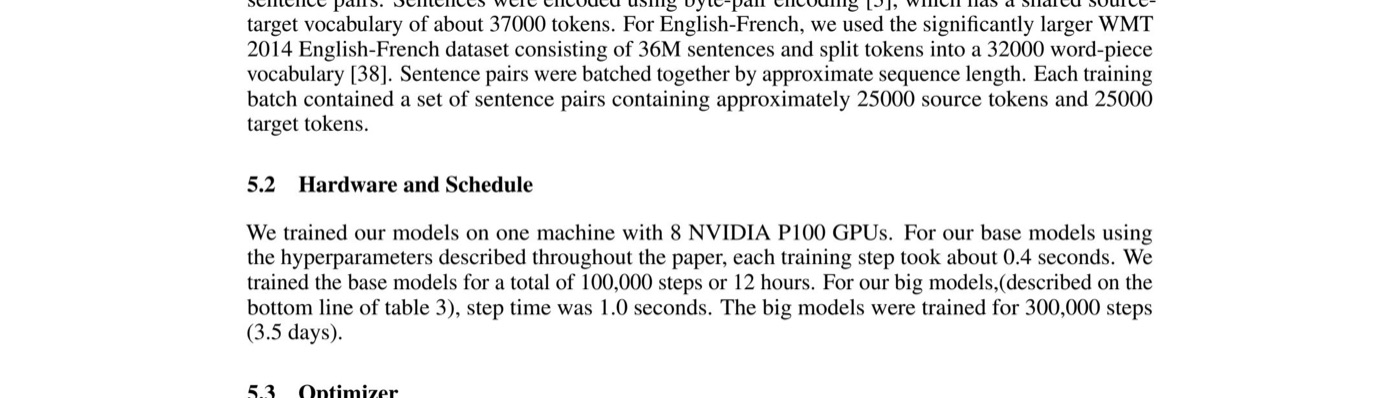
evidence_urlfor "3.5 days": the strip of page 7 the answer was read from, full width, so its heading is in view.
What you can do
Reference
In your language
TypeScript. npm install @askexhibit/sdk, typed answers and streaming built in. The SDK
For agents. The whole API as one text file an agent can read: llms.txt.
Anything else. Generate a client from openapi.json; these pages are laid out from it too.